
Agents are commonly used to generate guest bookings through internet sites such as Active Hotels, Lastminute.com etc.
This section of the software allows commission rates for the agents that have been authorised to make reservations on behalf of the business to be logged.
Adding a New Agent
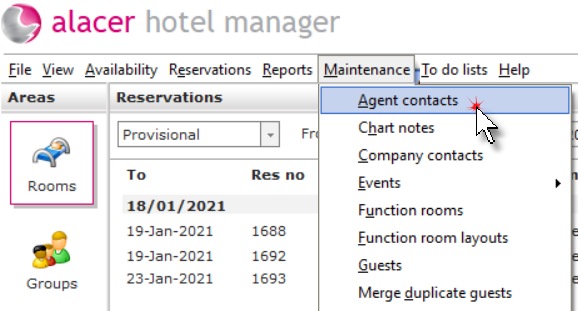
Select Agents from the Maintenance Menu.
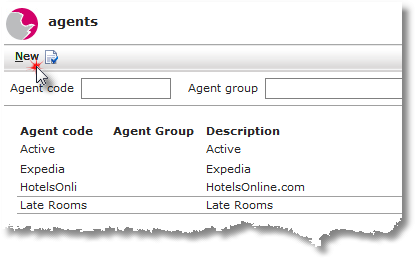
Click New.
Compete the Agent form. The fields that contain red dots are mandatory.
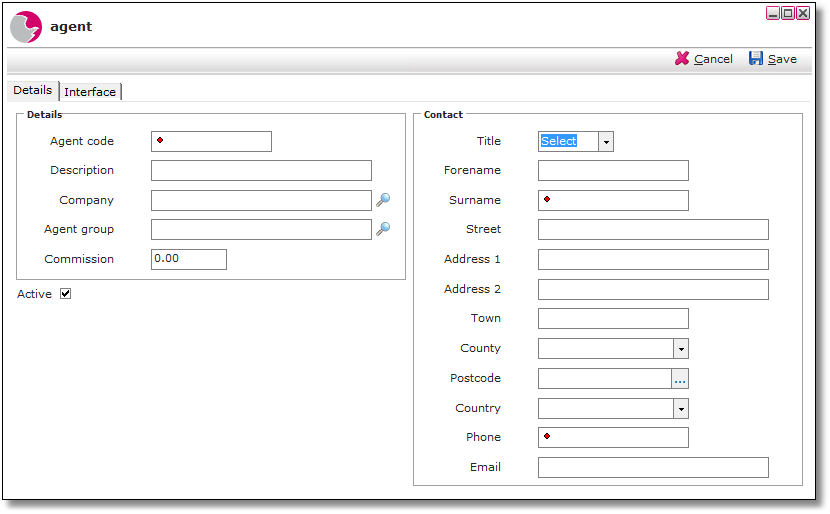
Agent code: The agent code is a shortened version of the description of the agent.
Description: The description is the full title of the agent.
Company: The agent can be linked to a company to make the searching function easier.
Agent group: An agent can be linked to the agent group to make the searching function easier.
Commission: This is the commission that the hotel pay the individual agent.
Active: placing a tick in the checkbox will enable the agent details to be accessed.
Click Save.
Linking an Agent or Company Sales Ledger Account
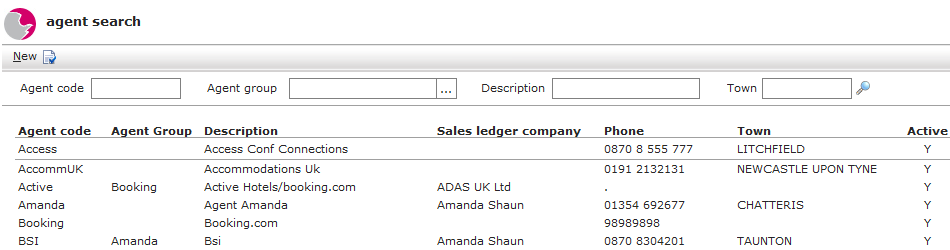
Click on the magnifying glass in the Company or Agent group field to view the customer or agent search form.
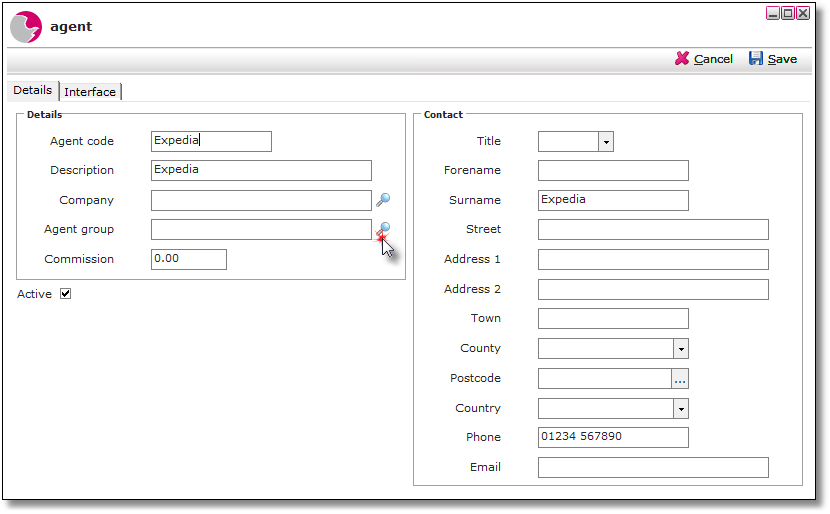
Use search fields to refine the information displayed. Click on magnifying glass once an entry has been made in one or more fields to refresh the screen. Left click on the agent to make a selection.
Click Save.
Viewing Agents
Select Agents from the Maintenance Menu as shown above.
Use the search fields to refine the information displayed in the main viewing pane. Click on the magnifying glass once an entry has been made in one or more fields to refresh the screen.
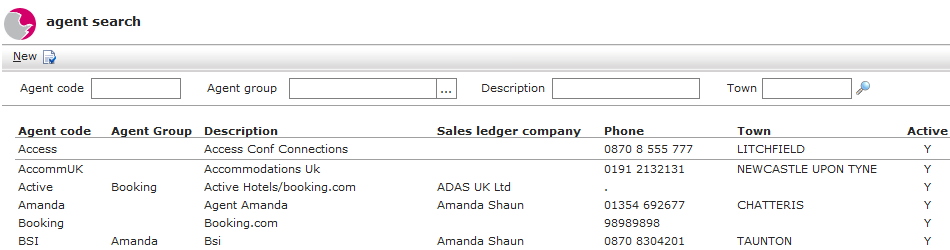
Left click on the selected agent to view further information in the agent form.
Deleting an Agent
Select Agents from the Maintenance Menu as shown above.
Right click on the selected agent.
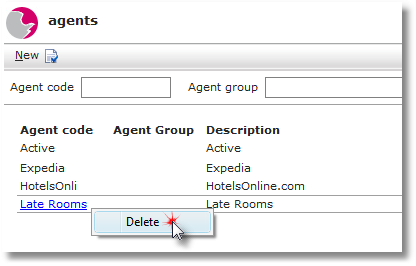
Click Delete.