
1. Open the reservation and click on the Tabs page. Click on the Tab description.
2. Clicking into the checkbox's will display Deleted, Transferred in, Transferred out, Split, Summary and Package transactions.
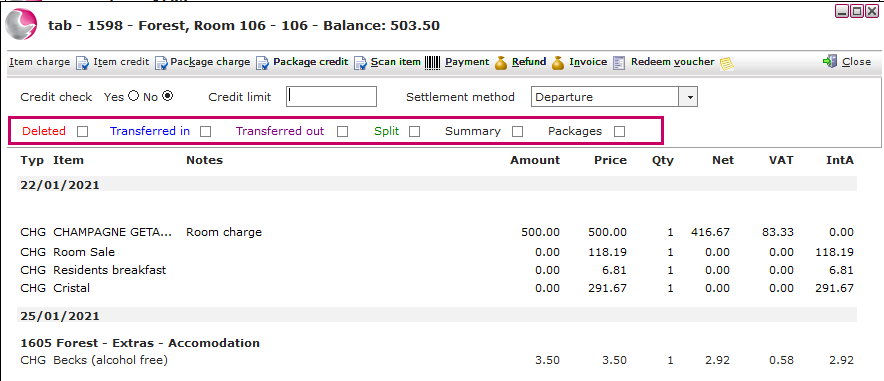
Deleted: Shows transactions that have been deleted from the tab.
Transferred in: Shows the transactions that have been transferred to this tab.
Transferred out: Displays all the transactions that have been transferred off this tab.
Split: Shows any split payments.
Summary: Displays a basic overview of the charge group and price.
Packages: Show all items that have or have not been absorbed by a package.
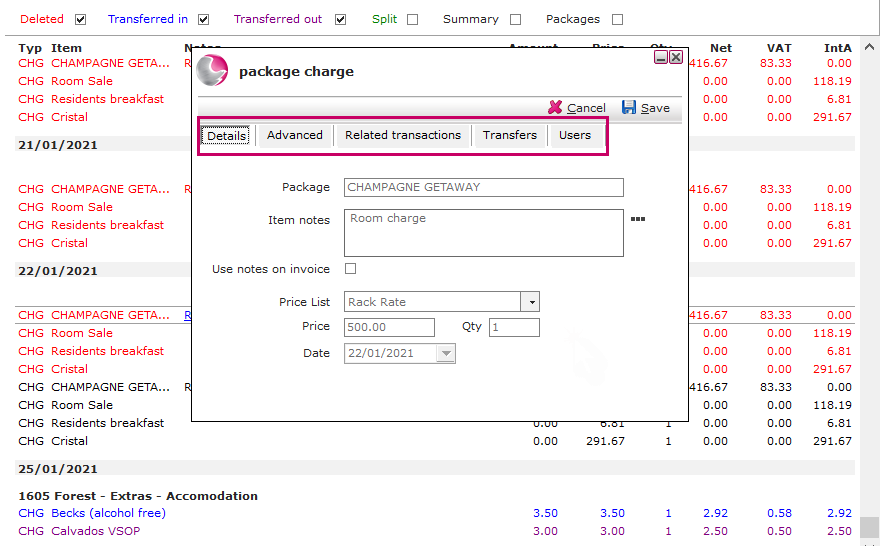
3. Click on the transaction to view further details.
See next: How to Delete Transactions from a Tab
How to Transfer Transactions to another Tab