
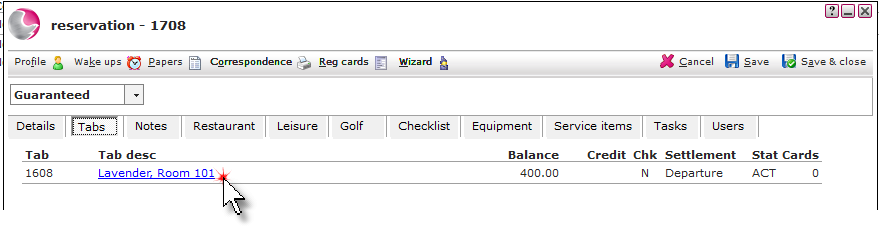
1. Open the reservation and click on the Tabs page. Click on the Tab description.
Jump to : Adding packages to a tab
Adding items to a tab:
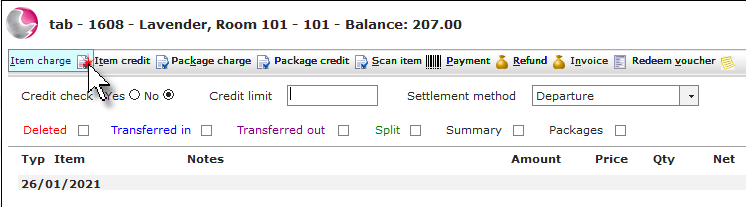
2. Click on Item charge.
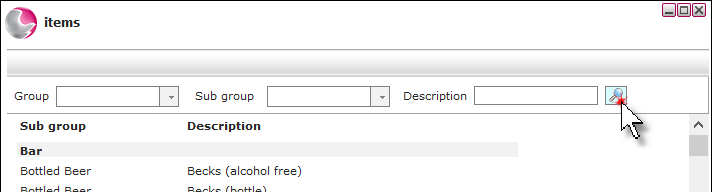
3. Use the filters and click on the magnifying glass or hit enter on the keyboard to search for the item.
Can't find the item? See How to Create a New Item
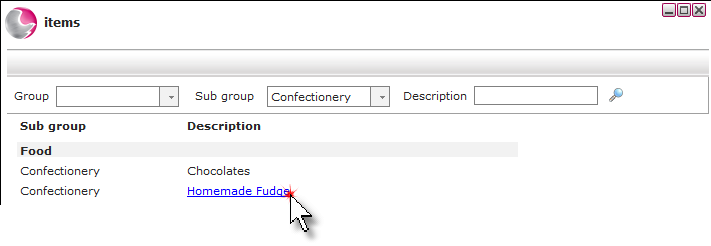
4. Click on the item.
5. Check the Item charge form. Click Save.
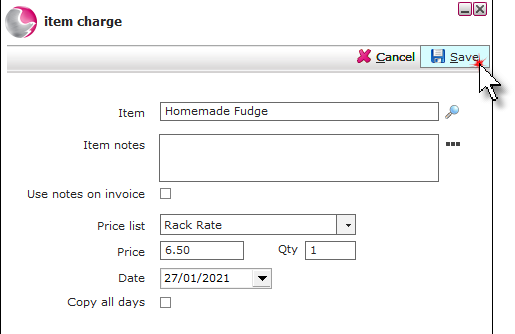
Item: The name of the item selected, to change the item click on the magnifying glass.
Item notes: Short notes added here will appear on the tab form alongside the item, if the use notes on invoice check box is ticked.
Display notes on invoice: Tick if item notes have been added.
Price list: The default price list of the item will be displayed and can be changed if required.
Can't find correct Price List? See How to Create New PriceList
Price & Qty: The price of the item will display and can be changed depending on User permission. If more than one item needs to be added to the tab change the quantity.
Date: The date the item charge will be applied to.
Copy all days: The item will be added to each day of the reservation.
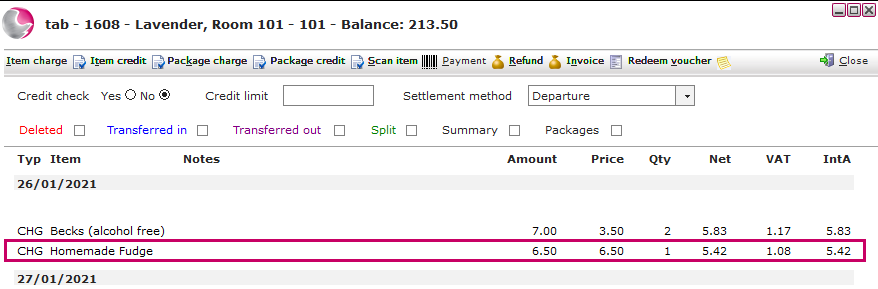
6. The item will appear as a CHG on the tab.
Adding packages to a tab:
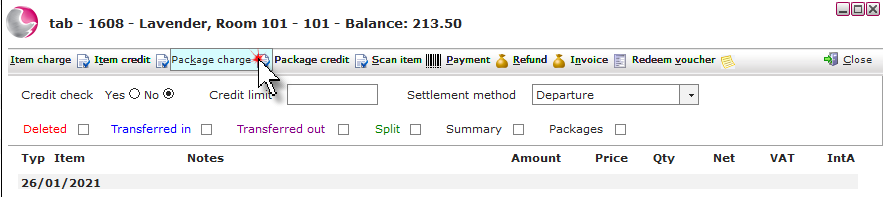
2. Click on Package charge.
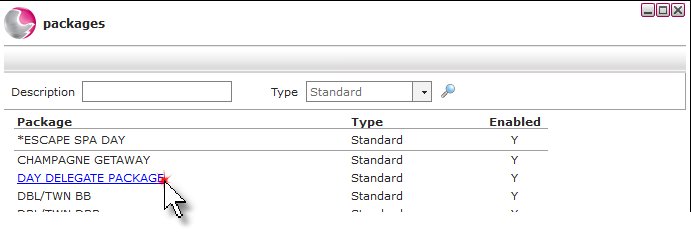
3. Use the filters and click on the magnifying glass or hit enter on the keyboard to search for the package. Click on the package.
Can't find correct Package? See How to Create Standard Package
4. Check the Package charge form and click Save.
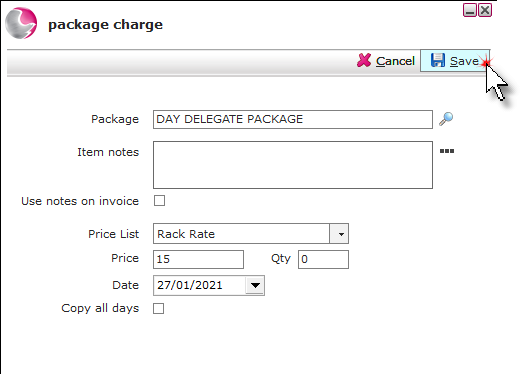
Item: The name of the package selected, to change the package click on the magnifying glass.
Item notes: Short notes added here will appear on the tab form alongside the package, if the use notes on invoice check box is ticked.
Display notes on invoice: Tick if item notes have been added.
Price list: The default price list of the package will be displayed and can be changed if required.
Can't find correct PriceList? See How to Create PriceList
Price & Qty: The price of the package will display. If more than one package needs to be added to the tab change the quantity.
Date: The date the package charge will be applied to.
Copy all days: The package will be added to each day of the reservation.
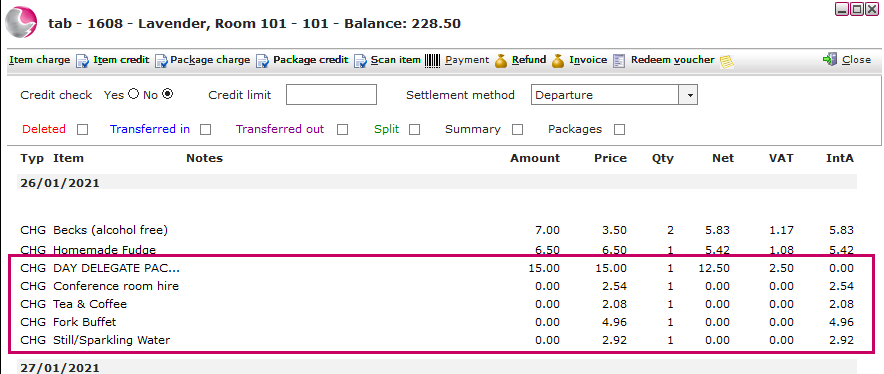
5. The package and its elements will appear as a CHG on the tab.
See next: How to Add Payment to a Tab
How to Add Item Credit to a Tab
How to Add Package Credit to a Tab