
1. Open the event and click into the Tabs page.

2. The individual reservation tabs will be displayed and the total balance. Click Settle event.
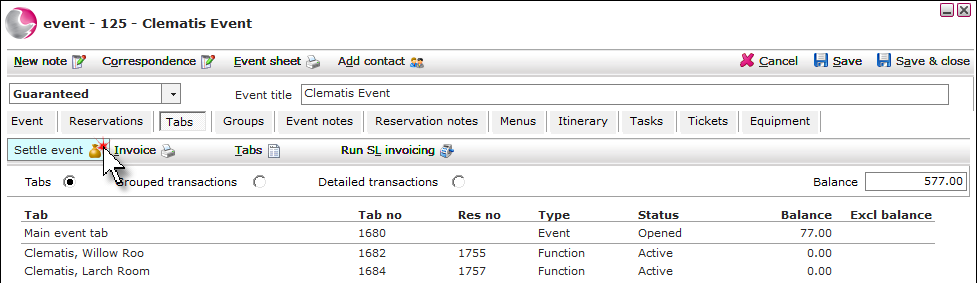
3. Complete the Payment form. Click Save.
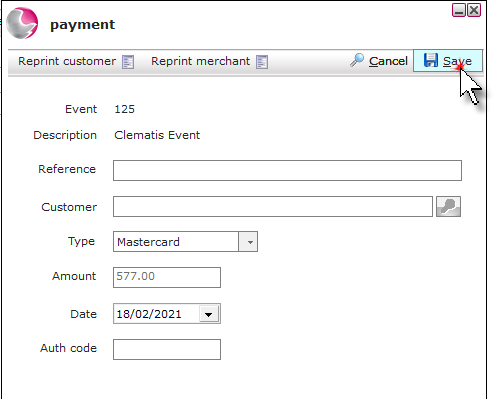
Reference: Enter an optional reference.
Type: Select the payment type. If an integrated payment provider is being used then additional options will display in the bottom right of the payment form.
Amount: Check the amount and overtype if required.
Date: The date will default to todays date and can be changed to a past date if needed.
Auth code: This field can be used to enter a preauthorisation code.
4. The payment will be split between the individual reservation tabs and the balance will display as £0.00.
See also: How to Include/Exclude Tab and How to Print an Event Invoice