
Standard itinerary items are preset options available in the Summary drop-down list, allowing you to quickly add commonly used activities to an event itinerary.
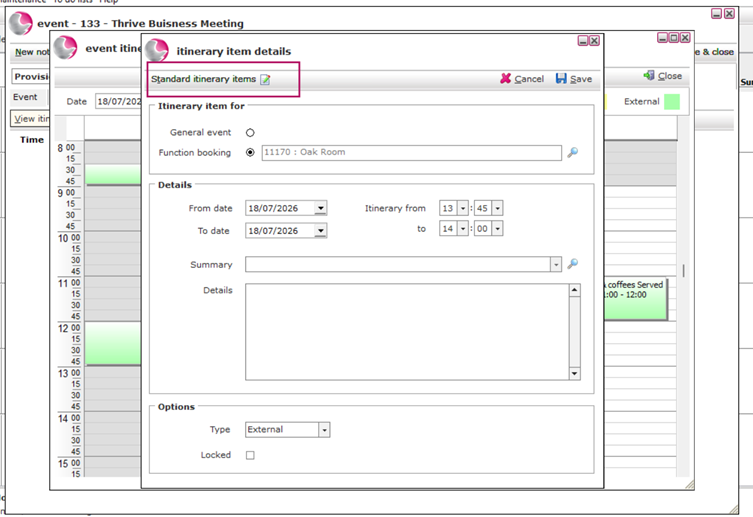
- In the Itinerary Item Details form, click Standard Itinerary Item.
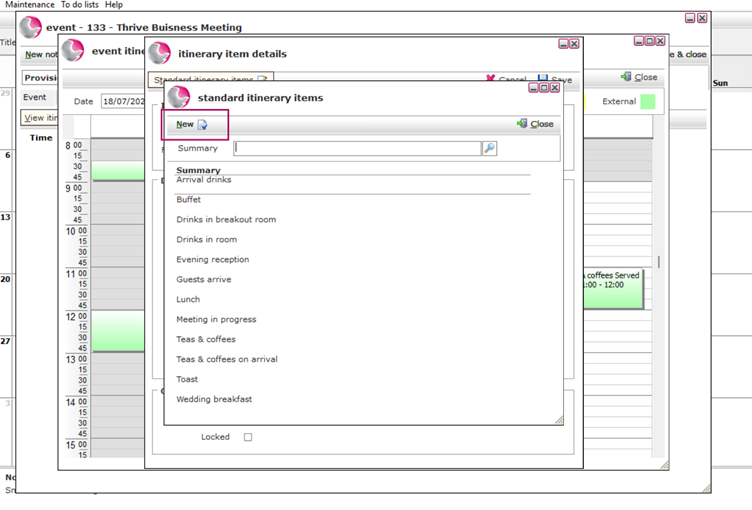
2. Click New to create a new standard item.
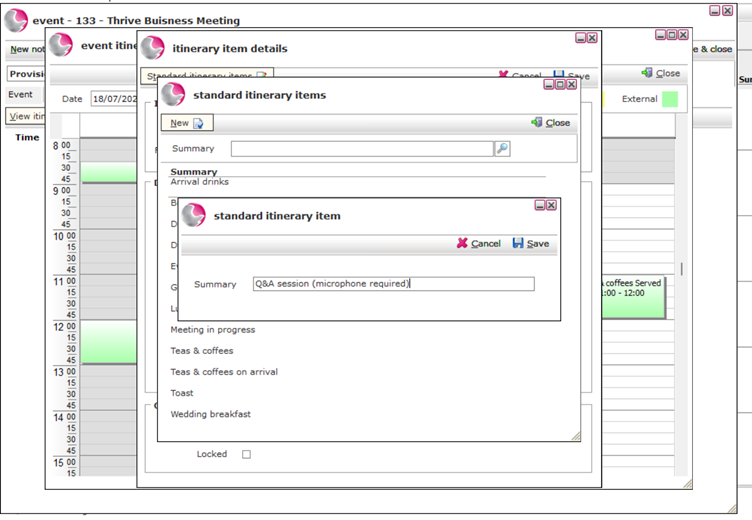
3. Enter the text you want to appear in the Summary field and click Save.
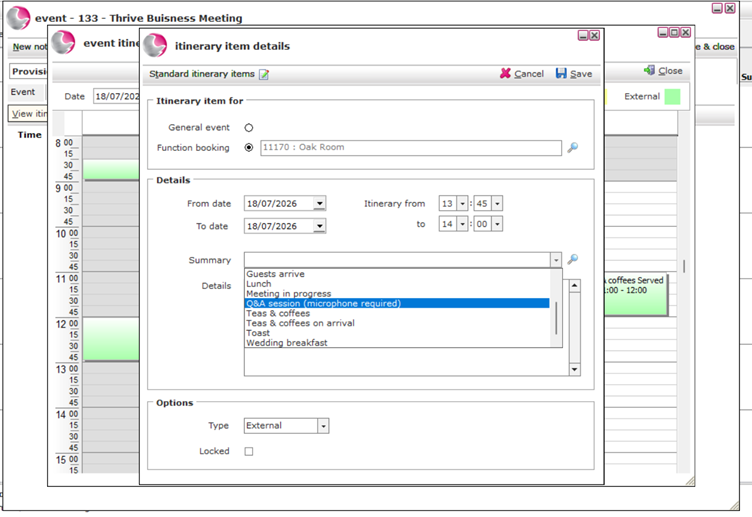
4. The new item will now appear as an option in the Summary drop-down list.
Next learn How to Move an Itinerary Item on a Planner