
When guests open the Ticket Engine, the first thing they see is a list of Ticket Categories. Selecting a category displays the individual tickets available within.
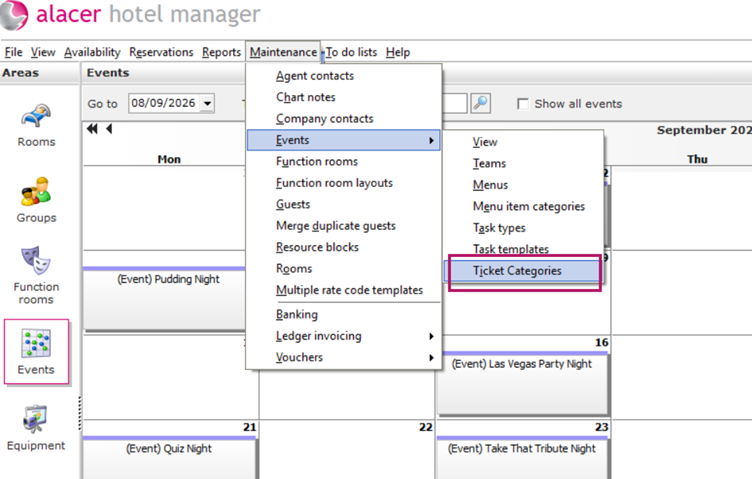
- Go to Maintenance > Events > Ticket Categories in Hotel Manager.
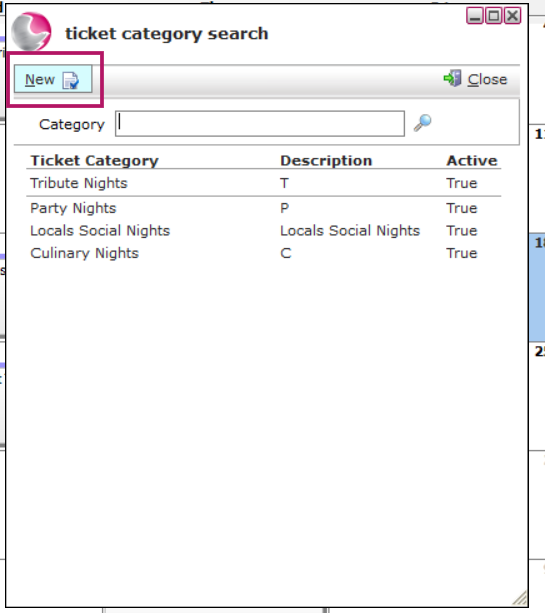
2. Click New.
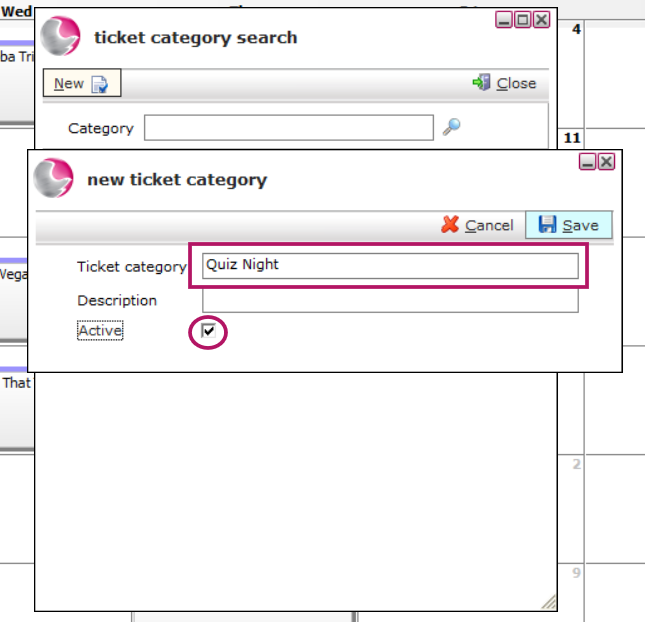
3. Enter the Ticket Category name.
Example: Quiz Night.
4. Tick the Active checkbox.
5. Click Save.
6. Your new category will now appear in the Ticket Category list and can be selected when creating Ticket Types.
See next: How to Create a New Ticket Type