
Waste reasons are used to resolve any discrepancies with money or stock, it is used to track and record wastage. The waste reasons can be selected from EPOS by using the waste option on the manager screen and the transactions can be viewed on the waste report.
See How to Generate Waste Report
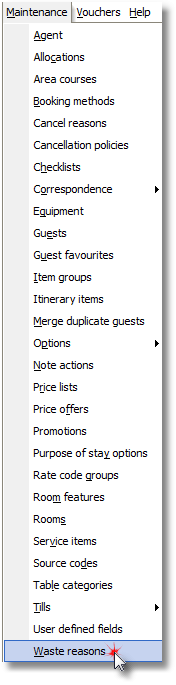
1. Click Waste Reasons from the Maintenance Menu.
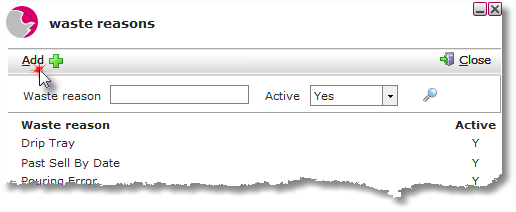
2. Click Add.
3. Enter a Waste reason. Click Yes to set the reason to active.
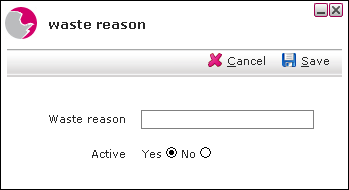
4. Click Save.
Deleting a Waste Reason.
Waste reasons cannot not be deleted once added to the list, however if a waste reason no longer needs to be used it can be made inactive by clicking active No.
See next: How to Add Cancel Reasons
How to Add New Discount Reasons