
The clipboard is located on the bottom right hand side of chart one. It is used to temporarily 'park' a reservation, usually when swapping rooms around, the user can drag the reservation from the chart to the clipboard, move the necessary rooms around and then move the reservation from the clipboard back onto the chart.
Moving Reservations to the Clipboard:
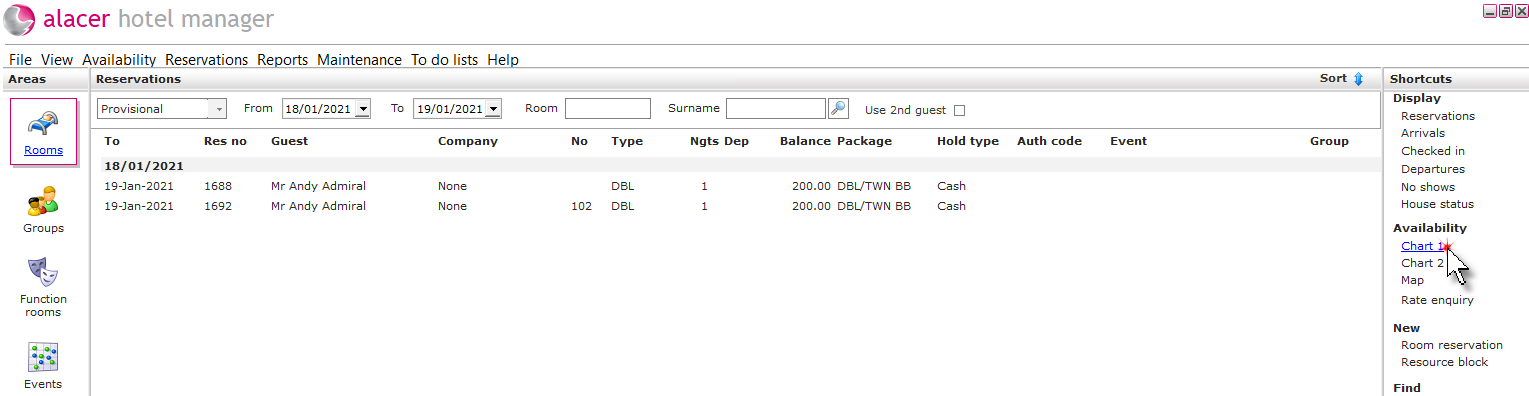
1. Click the Rooms icon in the areas part of the screen.

2. Click on Chart 1 under the Availability shortcut.
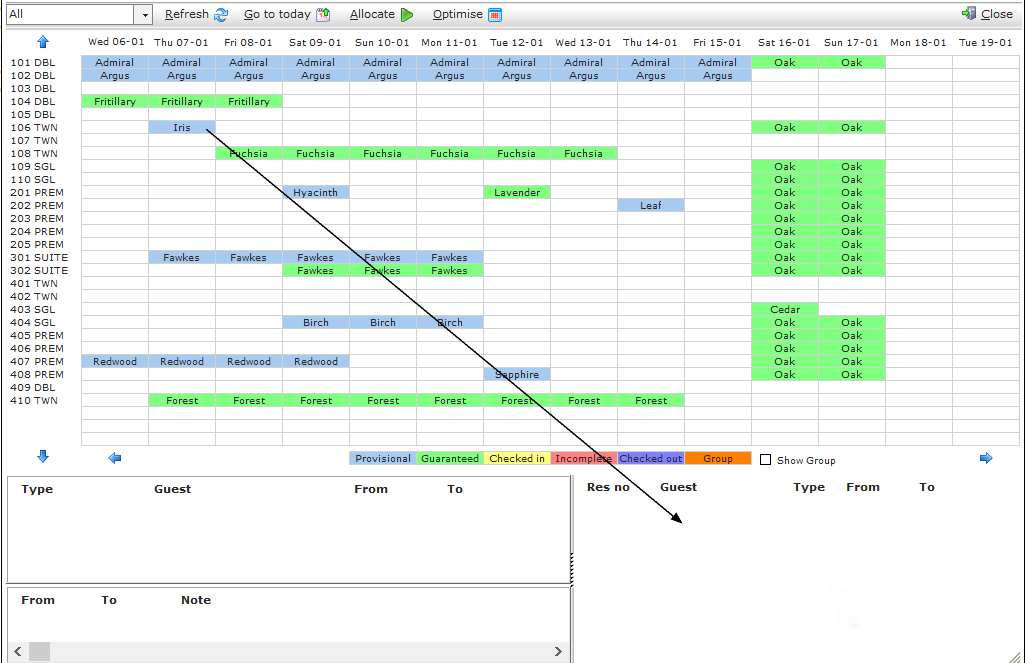
3. Right click and hold on the selected the booking. Drag the selected booking down to the the clipboard, located at the bottom of the screen and release the mouse button.
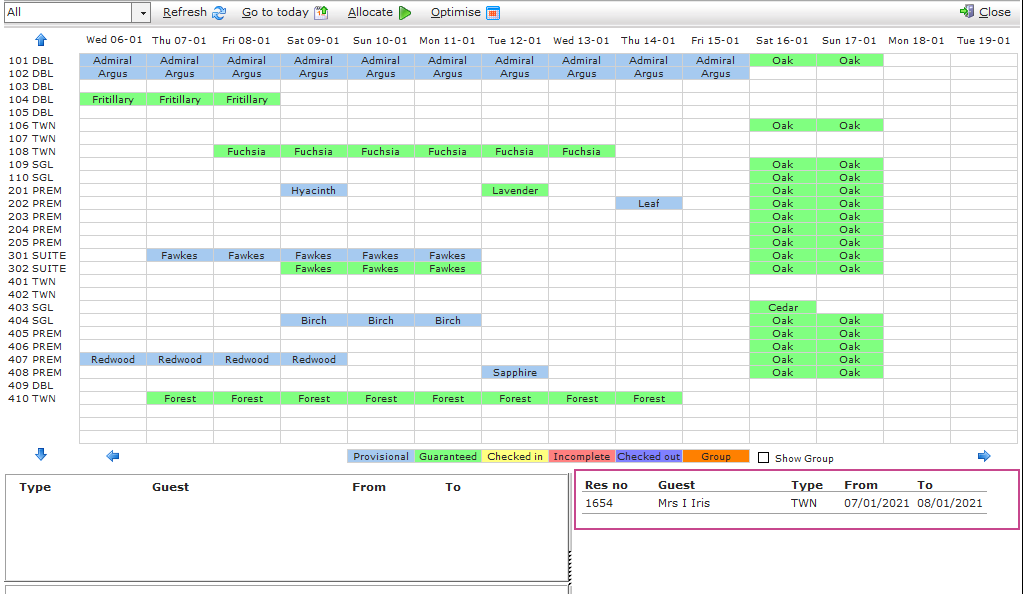
4. The booking will be held on the clipboard until it is assigned another room.
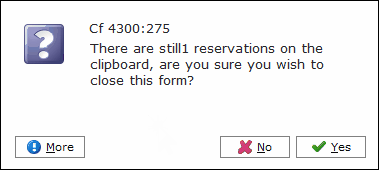
5. When the chart is closed the following reminder will appear. Click Yes.
Viewing Clipboard Reservations:
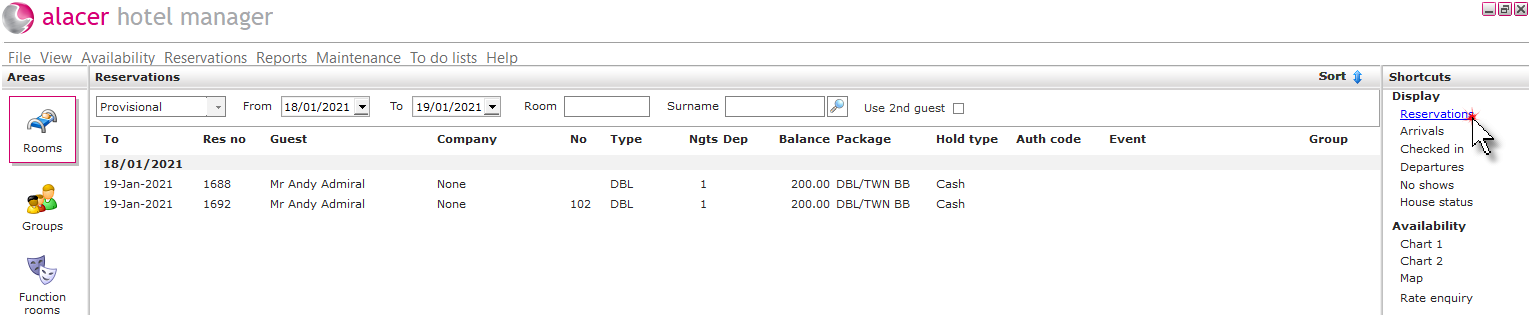
6. Click on reservations from the display shortcut.
7. Click on the status menu, select the Clipboard option.
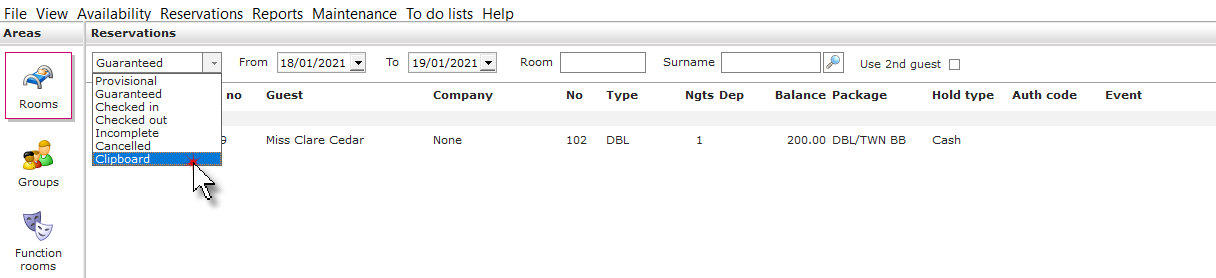
8. A list of all the reservations on the clipboard will be displayed.

See next: How to Use the Chart 1
How to Auto-Allocate Reservations