
Item groups and sub groups are used to categorise items for sale into logical groups. These logical groups are then used by the system for managing lists, managing screens, quicker searching, running reports etc.
For example:
Item Group - Food
Item Sub Group- Desserts
Items- Chocolate Fudge Cake, Apple Crumble etc.
Create a new group:
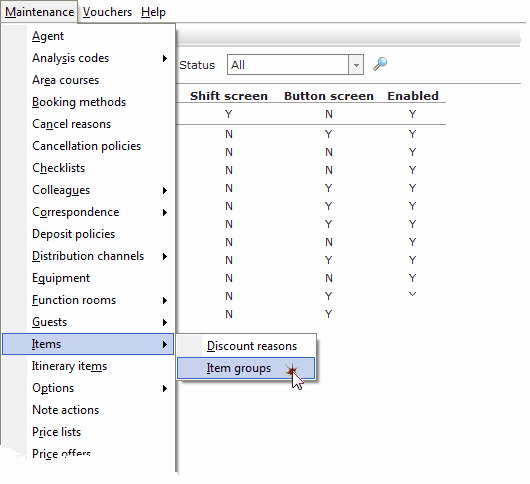
1. Select Items from the Maintenance Menu, then select Item Groups.
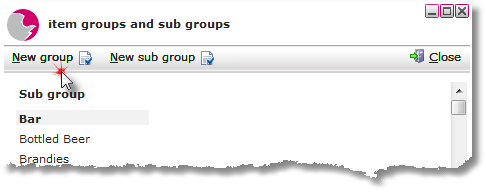
2. Click on New Group.
3. Enter the name of the group.
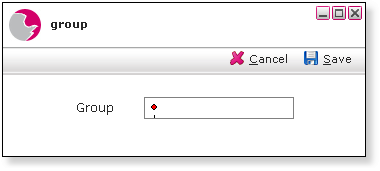
4. Click Save.
Create a new sub group:
1. Click on New sub group.
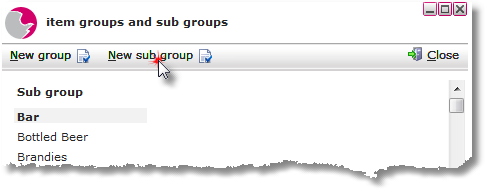
2. Select a group and enter the name of the sub group then select a reporting group.
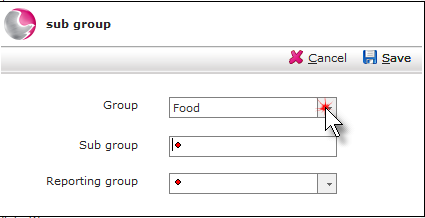
3. Click Save.
See next: How to Create a New Item
How to Delete Item Groups and Sub Groups