
1. Click on the Items Icon in the Areas section of the screen.

2. Use the search filters to refine the information displayed. Click the magnifying glass or hit enter on the keyboard to display the results.
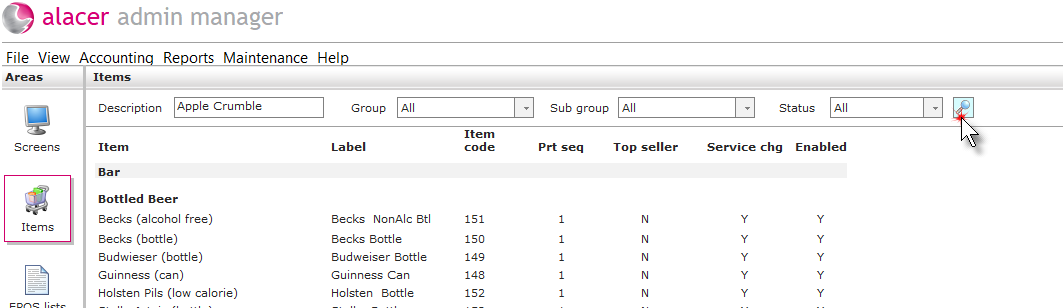
Description: To view a specific item, enter a description of all or part of the item.
Group: Use the drop-down menu to select a group of items.
Sub Group: Use the drop-down menu to select a specific sub-group of items.
Status: Use the drop-down menu to select an item's status i.e. enabled or disabled.
See next: How to Create New Items
How to Create Item Groups and Subgroups