
If you post sold vouchers directly from site, you should mark the voucher as shipped so other users know the voucher has been sent.
Alacer offers a voucher fulfilment service, to find out more information please contact the Alacer sales team on 0333 313 0066 option 1.
1. Click on Vouchers shipping.

2. Click on the required voucher.

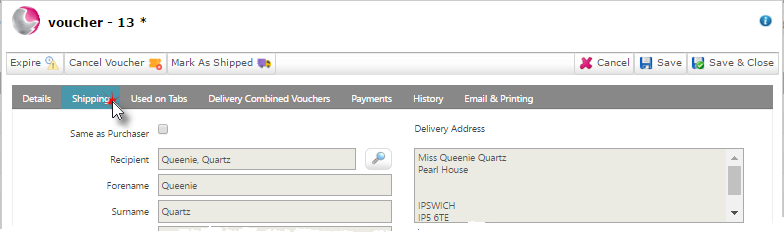
3. Click on the Shipping page. The recipient details will be displayed.
4. Click on marked as shipped.
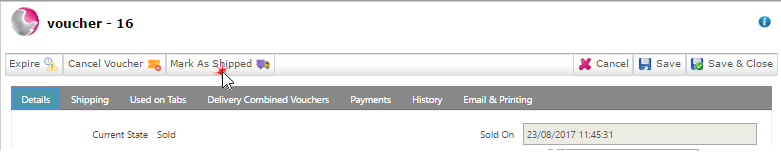
5. The mark as shipped icon will disappear, click Save & Close.
See also: How to Expire a Voucher
How to Create a New Voucher Type