
Multiple rate codes are used when a guests reservation requires different rates during their stay. i.e. the first night could be a bed and breakfast rate code and the second night a dinner, bed and breakfast rate code.
Adding multiple rate codes:
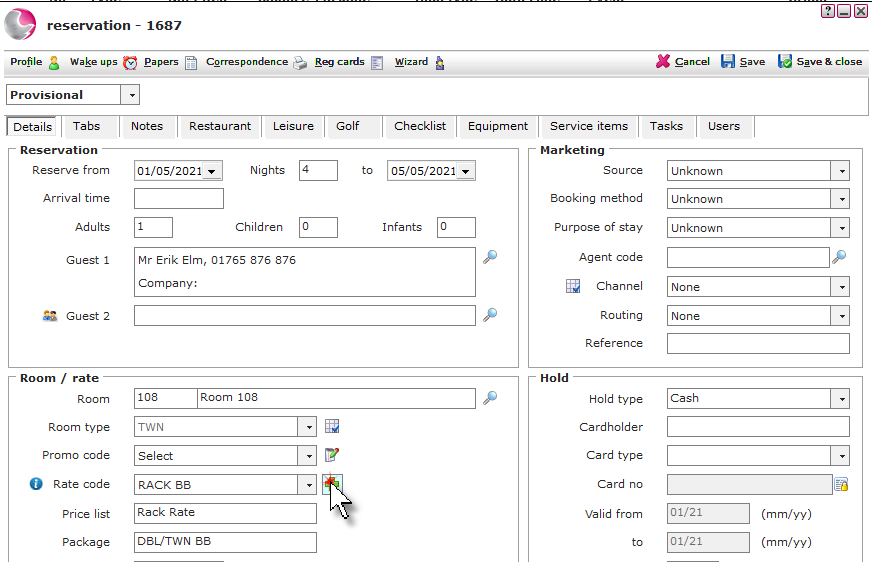
1. Click on the green cross next the the rate code menu.
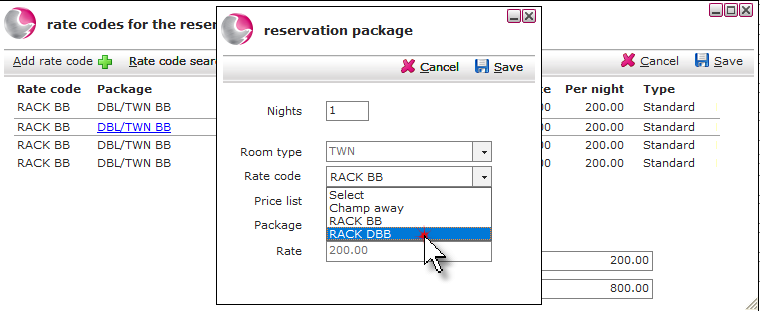
2. To change the rate code on specific days of the stay, click on the day. Select the new rate code.
Can't see correct Rate code? See How to Create New Rate Code
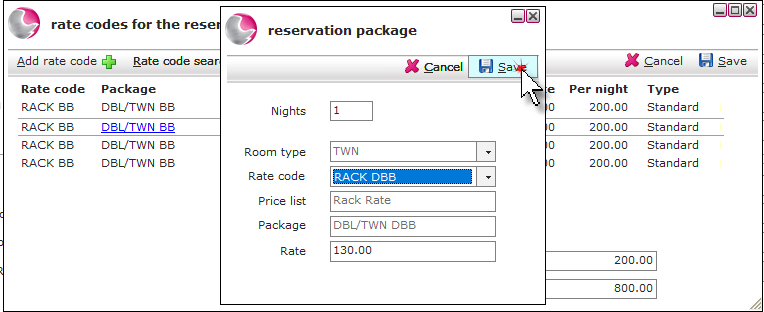
3. Update the price if required and click Save. The form will show the multiple rate codes.
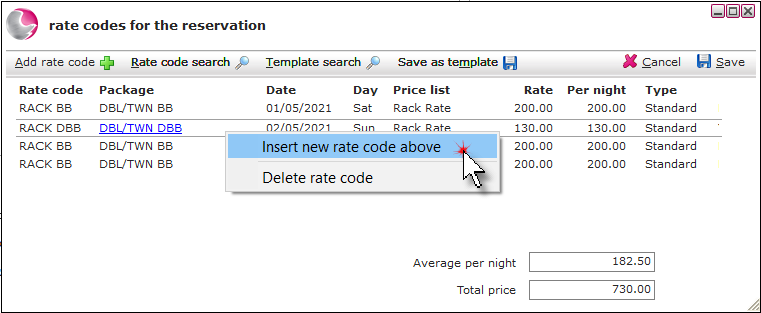
4. To add extra nights and rates to the reservation, right click on the day. Select Insert new rate code above.
5. Complete the form by entering the number of nights and select a rate code.
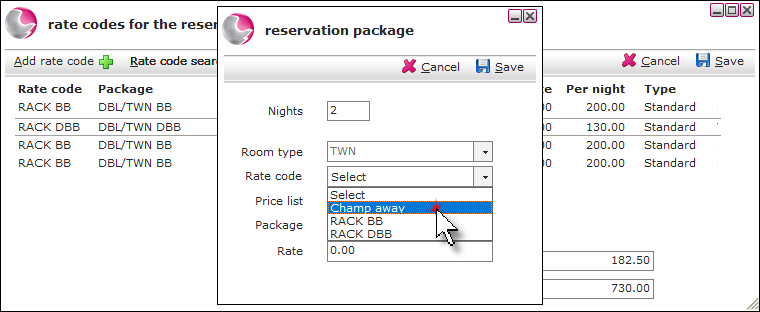
6. Update the price if required and click Save. The form will show the multiple rate codes.
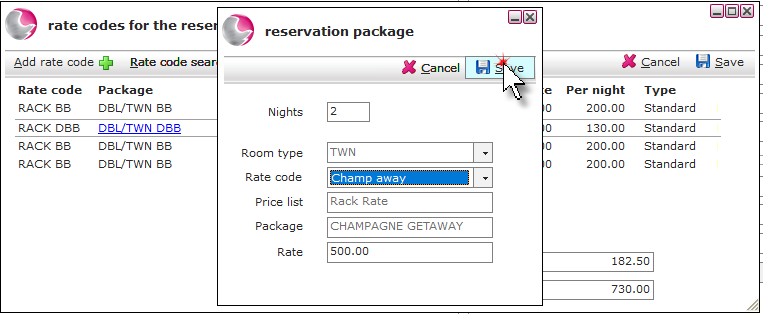
Delete multiple rate codes:
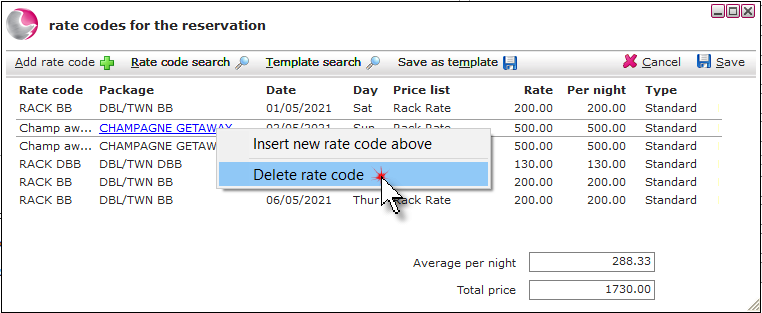
1. Right click on the day the rate code needs to be deleted from. Select Delete rate code.
See next: How to Add Notes to a Reservation
How to Add Item/Package to the Tab
How to Send Correspondence/Confirmation Email