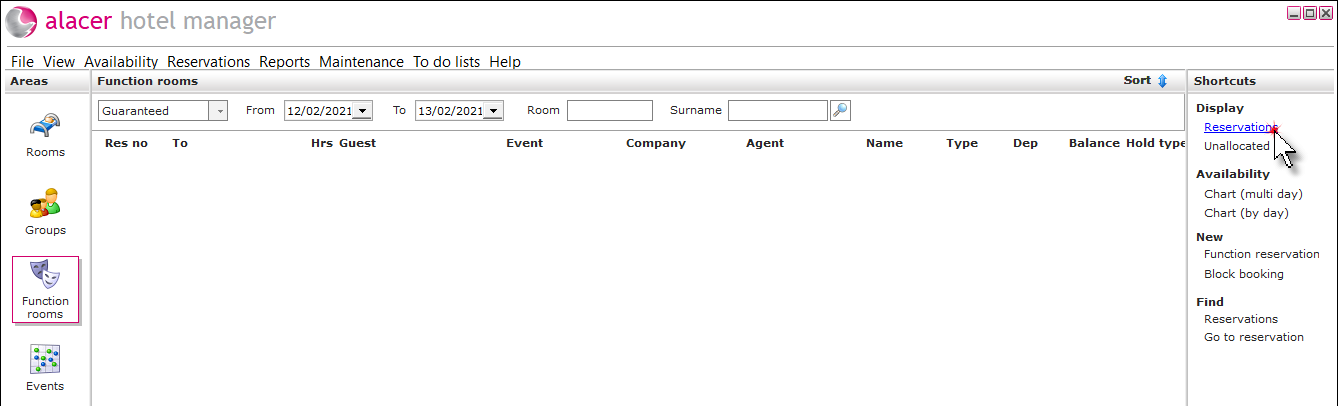
1. Click on Reservations under the Display shortcut.
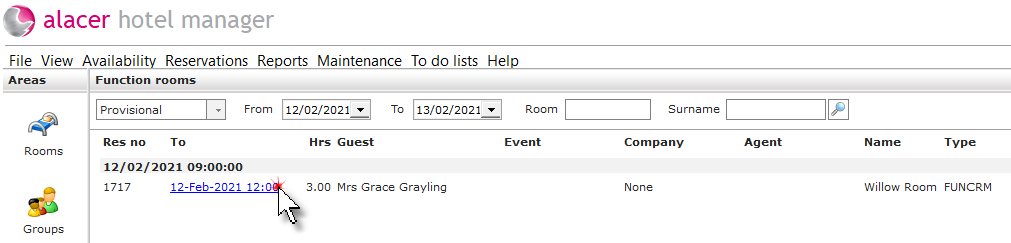
2. Click on the reservation.
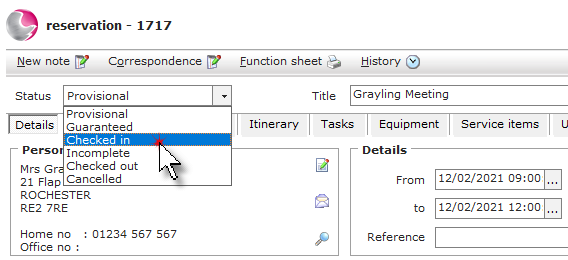
3. Change the status to Checked in then Save the reservation.
See next: How to Add Notes to a Function Room
How to Check Out a Function Room Booking

1. Click on Reservations under the Display shortcut.
2. Click on the reservation.
3. Change the status to Checked in then Save the reservation.
See next: How to Add Notes to a Function Room
How to Check Out a Function Room Booking