
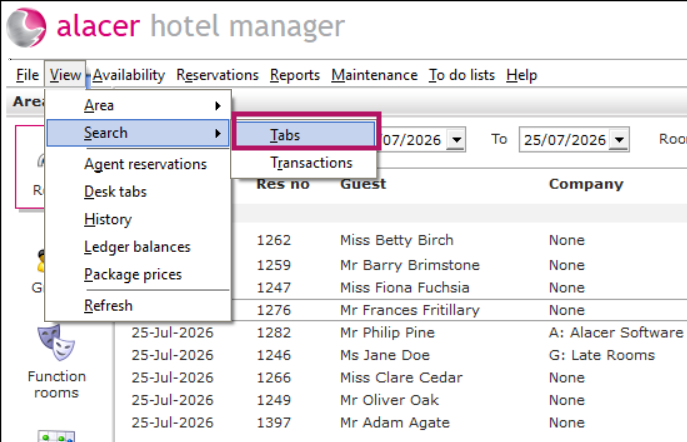
- Go to Hotel Manager → View → Search → Tabs.
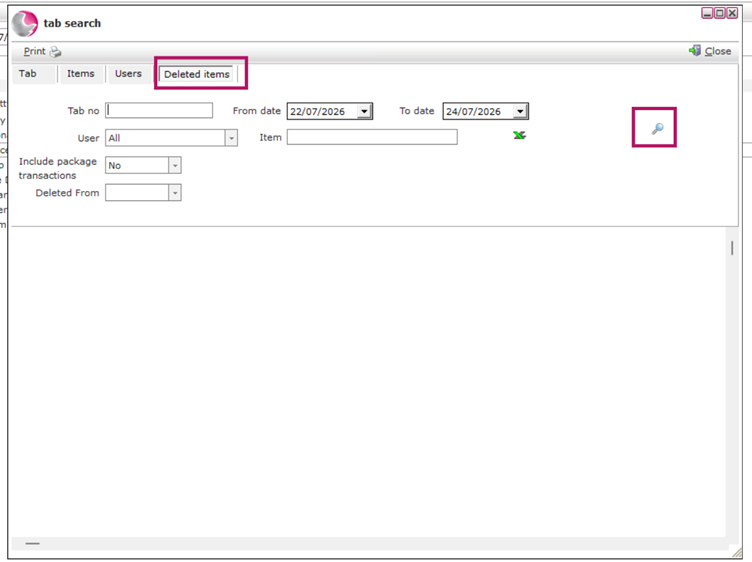
2. Open the Deleted Items tab.
3. Add the filters you want to use.
For example: change the Date Range to Last 3 Days.
4. Click the Magnifying Glass to run the search.
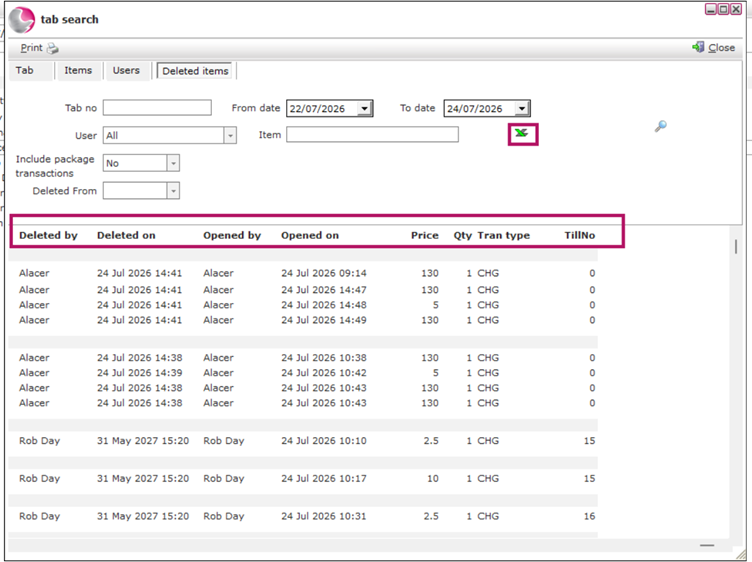
5. A list of all deleted items matching your filters will be displayed.
6. The results show:
- Which item was deleted.
- Who deleted it.
- When it was deleted.
7. If required, click Export to Excel to save the results for reporting or further review
See next: How to Audit Transactions on a Tab
How to Delete Transactions on a Tab