
Promo codes are a great way to create hidden Experiences that are only available to selected guests.
You can use them to offer discounted Experiences to loyal customers, create exclusive parties for your top spenders, or make special Experiences—such as a wedding breakfast—available only to invited guests. There are many ways to use promo codes to create exclusive offers for your business.
To set up a promo code:
1. Go to Alacer Hospitality → Admin → Restaurant → Experiences.
2. Open an existing Experience or create a new one.
See How to Create a New Experience.
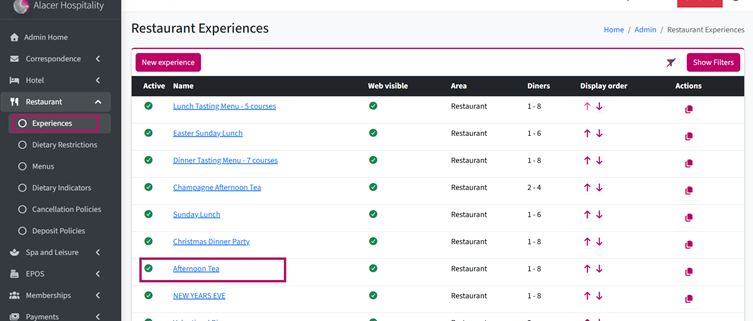
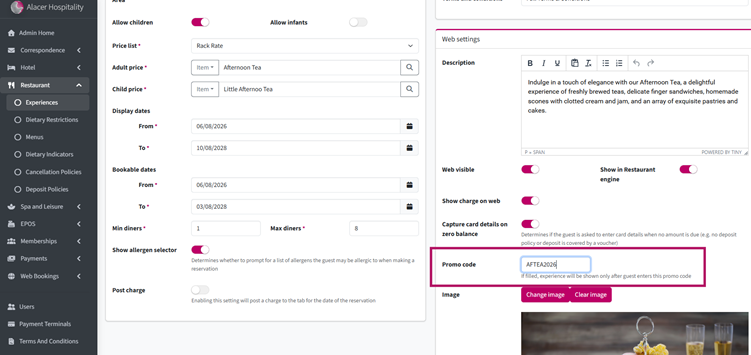
3. In the Web Settings section, enter a Promo Code.
For example: AFTea2026
Promo codes are not case-sensitive
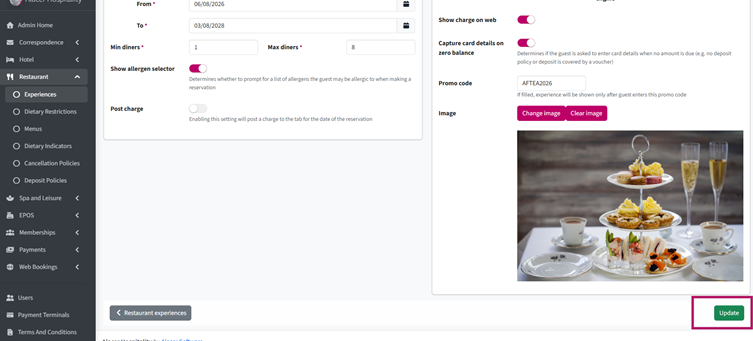
4. Click Update to save your changes.
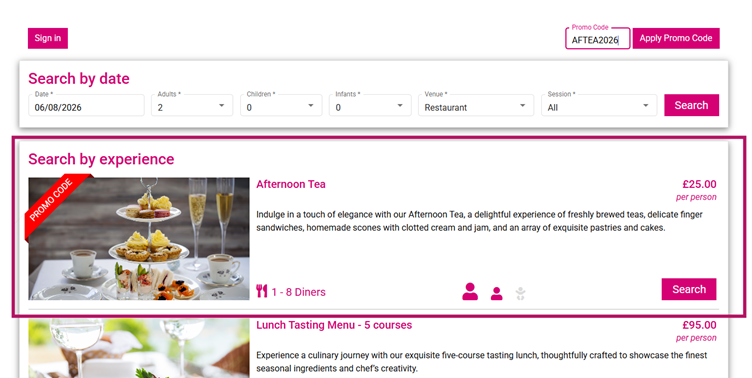
Once you've shared the promo code with your guests, they can enter it in the top-right corner of the Restaurant Booking Engine.
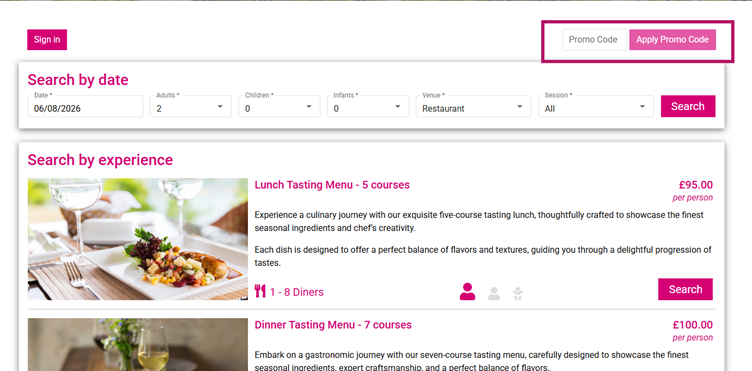
After the promo code is applied, the hidden Experience will become available for booking.
See next: How to Create Preorders