
To create a Leisure Cancellation Policy, follow these steps:
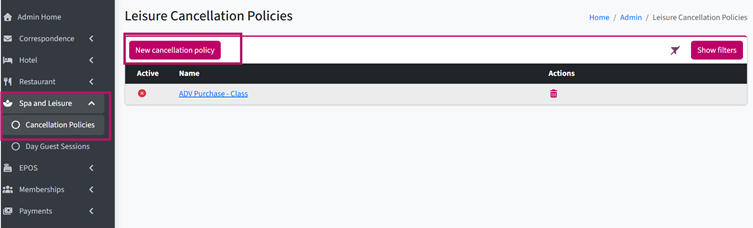
1. Go to Alacer Hospitality → Admin → Spa and Leisure → Cancellation Policies.
2. Click New Cancellation Policy.
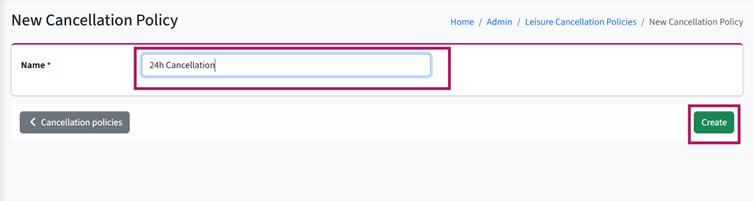
3. Enter the Policy Name.
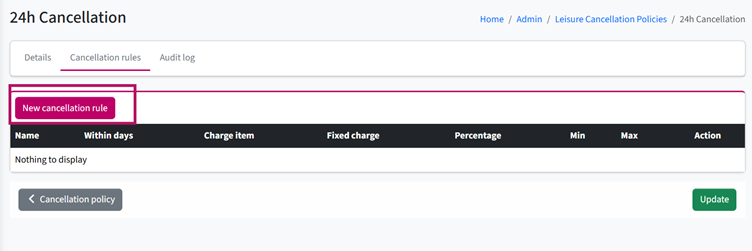
4. Click New Cancellation Rule.
5. Enter the Rule Name and specify when the rule should be applied.
For example, if you want to charge for a visit cancelled less than 24 hours before the scheduled time, enter 1 as the applicable period.
6. Click the magnifying glass to select the Charge Item.
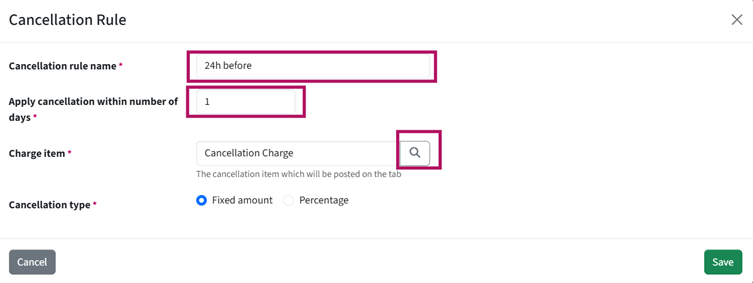
7. Select the Cancellation Type:
- Fixed Amount – charges the fixed price set against the selected Charge Item.
- Percentage – charges a percentage of the applicable amount.
If Percentage is selected, enter the required percentage. You can also specify a minimum and maximum amount, if required.
For example, if you want to charge 100% when a reservation is cancelled within 24 hours of the scheduled time, enter 100%.
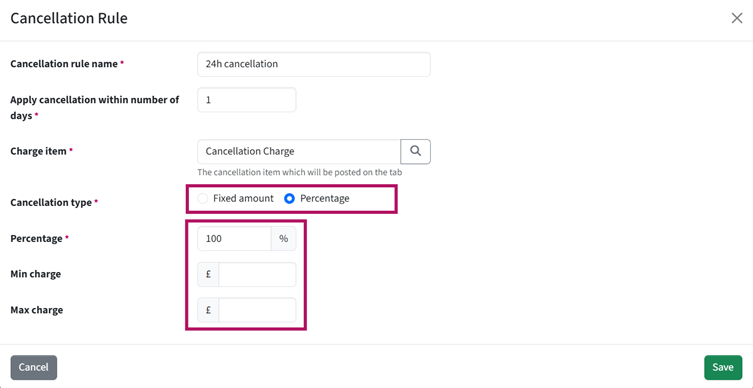
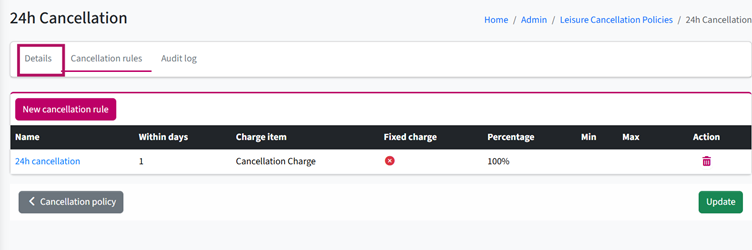
8. Add as many Cancellation Rules to the policy as required.
For example:
- Cancelled within 24 hours – charge 100%
- Cancelled within 2 days – charge 50%
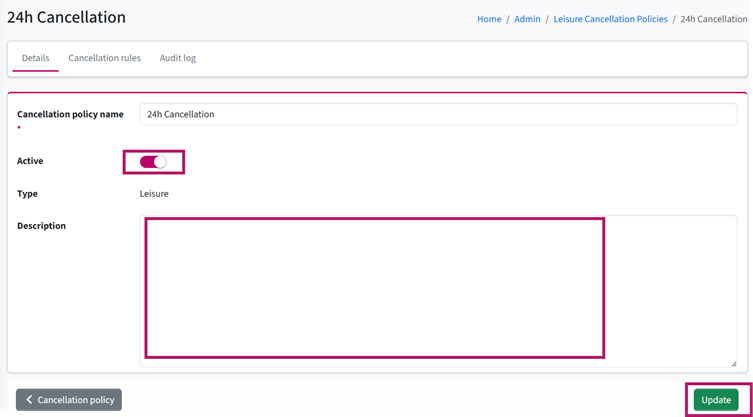
9. Go to the Details section.
10. Activate the policy by switching the Active toggle on.
11. Add a Description of the cancellation policy.
12. Click Update to save the policy.
See also: How to Create a New Leisure Rate Code
How to Create a Bedroom Cancellation Policy