
Sometimes an Event Booking and a Function Room Reservation are created separately. If this happens, you can easily link them together.
- Open the Function Room Reservation you want to link.
- In the Event Details section at the bottom left of the window, click the magnifying glass to open the Event Search.
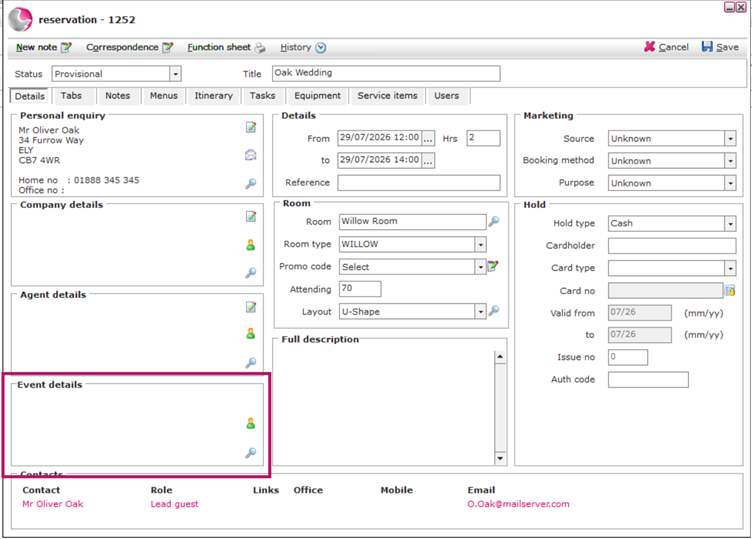
3. The search will display all events taking place on the same date as the Function Room Reservation.
4. Select the event you want to link to the Function Room Reservation
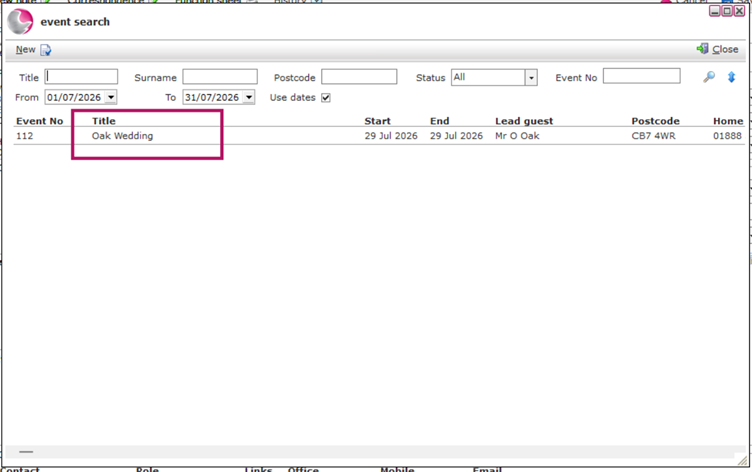
5. The selected event will now appear in the Event Details section.
6. Click Save to complete the link.
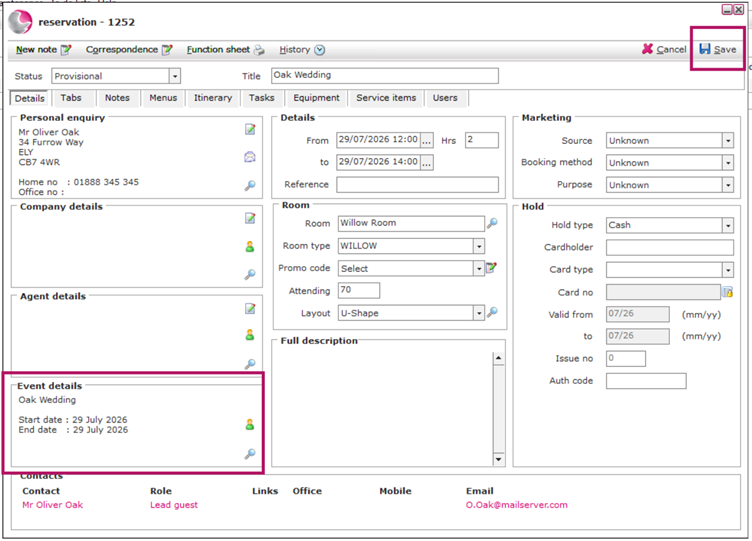
Your Function Room Reservation is now linked to the Event Booking.
See Next: How to Create an Event Booking with Single Function Room
How to Create an Event Booking with Multiple Function Rooms