
You can ask customers to pay a deposit when they make a booking. Your deposit policy should match your cancellation policy.
For example:
- If your cancellation policy states that guests who cancel within 2 days of arrival will be charged 100% of the booking, your deposit policy should require full payment at the time of booking.
- If your cancellation policy charges the first night's stay, your deposit policy should request the first night's payment.
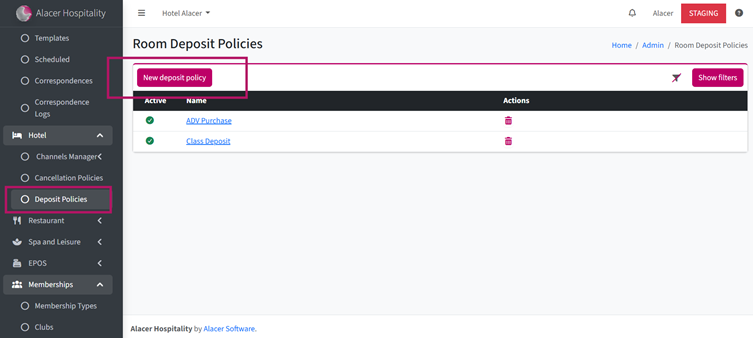
1. Go to Alacer Hospitality – Admin – Hotel and open the Deposit Policies section.
2. Click New Deposit Policy.
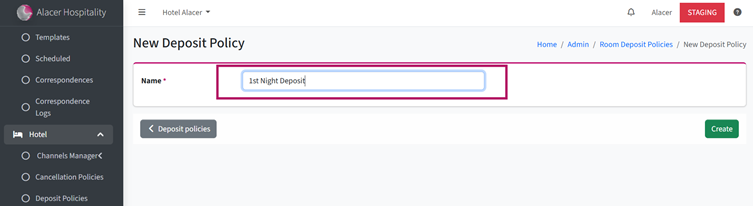
3. Enter a Policy Name
For example: 1st Night Deposit
4. Click Create.
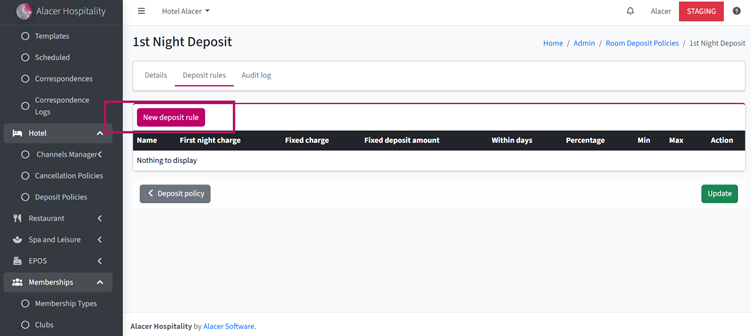
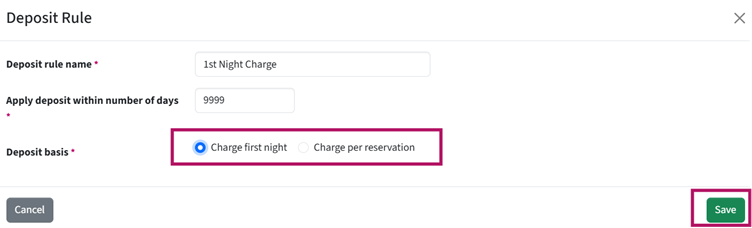
5. Click New Deposit Rule.
6. In Apply Deposit Within Number of Days, enter the number of days before arrival when the deposit should be required.
If you want all customers to pay a deposit when they book, enter a large number such as 999. This means the system will request a deposit for any reservation made up to 999 days before arrival, effectively covering all bookings.
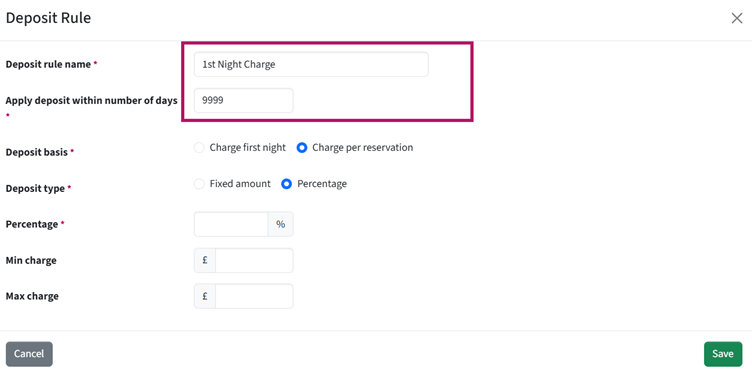
7. In Deposit Basis, choose how the deposit should be calculated. First Night Charge or Charge Per Reservation
For this example, select First Night Charge.
8. In Deposit Type, choose how the deposit should be calculated if the Deposit Basis is set to Per Reservation:
- Fixed Amount – Enter a specific amount to collect for each reservation.
- Percentage – Enter the percentage of the reservation total to charge. You can also set optional minimum and maximum charge limits.
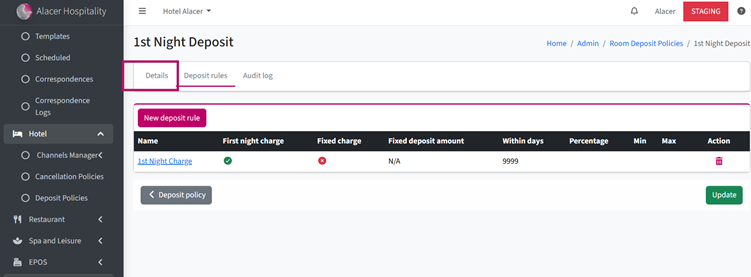
9. Open the Detail page.
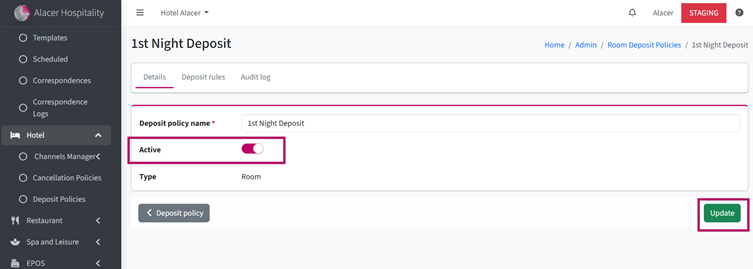
10. Tick Active.
11. Click Update to save your changes.
See next: How to Create a Bedroom Cancellation Policy
How to Create Terms and Conditions