
Dietary Restrictions are dietary requirements that are separate from the 14 Regulated Food Allergens. They allow guests to let you know about dietary preferences or requirements that your venue can accommodate.
Alacer Hospitality includes 12 common Dietary Restrictions by default: Alcohol Free, Diabetic, Halal, Kosher, Pescatarian, Pork Free, Poultry Free, Pregnant, Red Meat Free, Seafood Free, Vegan, and Vegetarian.
You can enable these for any Experience. If you need additional options, you can also create your own Dietary Restrictions.
Create a New Dietary Restriction
1. Go to Alacer Hospitality → Admin → Restaurant → Dietary Restrictions.
2. Click Create Dietary Restriction.
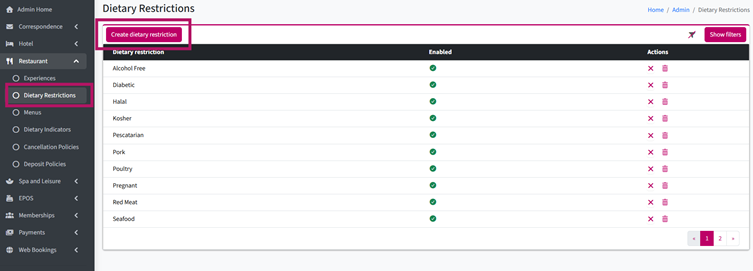
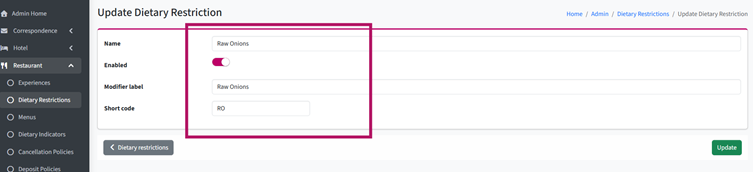
3. Enter a Name.
For example: Raw Onions.
4. Enter a Modifier Label.
This will be displayed on the till as a modifier.
5. Enter a Short Code.
This can be displayed on menus and reports.
6. Click Update.
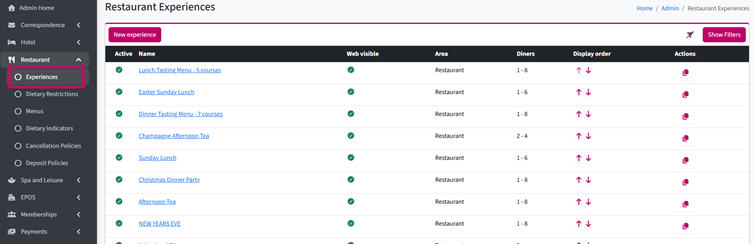
7. Go to Alacer Hospitality → Admin → Restaurant → Experiences.
8. Open an existing Experience or create a new one.
See How to Create an Experience
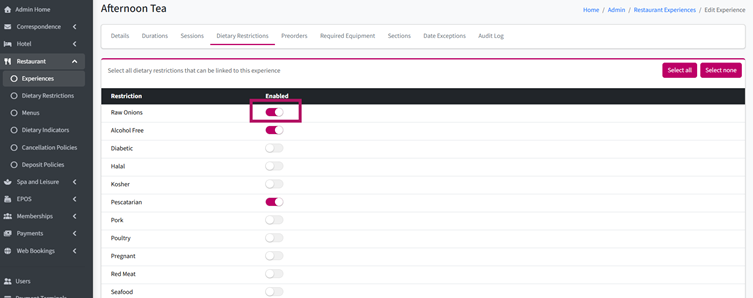
9. Go to the Dietary Restrictions tab.
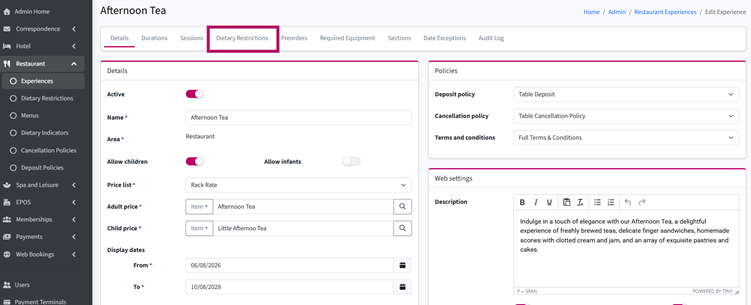
10. Turn on the toggle next to each Dietary Restriction that your venue can accommodate for selected experience.
11. Click Update to save your changes.
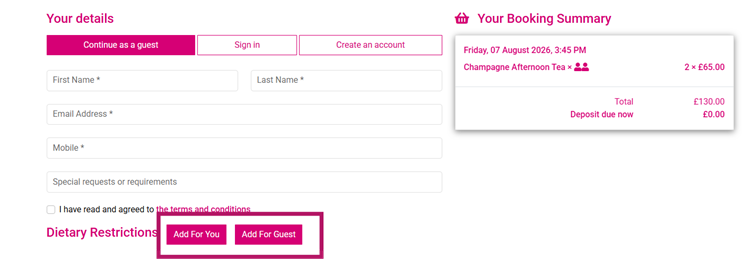
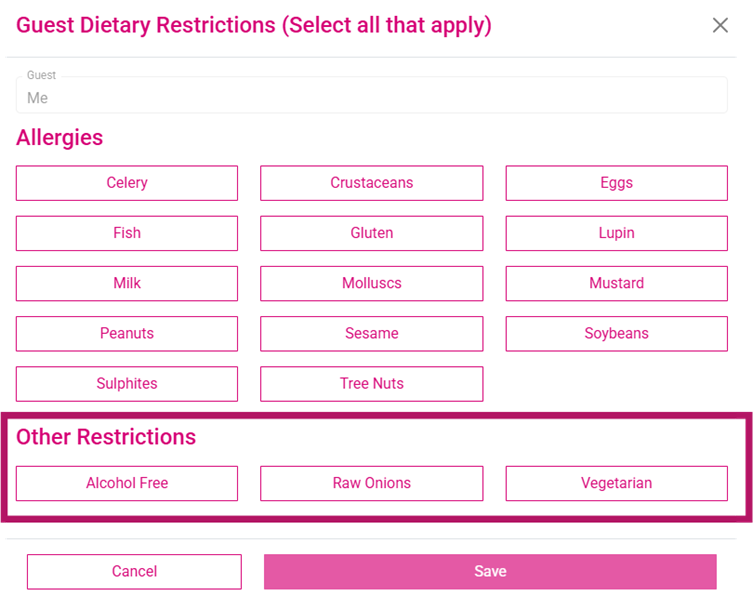
Guests booking online will then be able to select these Dietary Restrictions when making their reservation.
Note: The Show Allergy Selector option must be enabled for the Experience. Alongside the 14 Regulated Food Allergens, guests will also be able to select any Dietary Restrictions you have enabled, helping them provide all the information you need before they arrive.
See next: How to Add a Required Equipment (Experience)
How to Set Up a Promo Code (Experience)